NEITSCH
All products Aeolis Everything

Personal files & media · Windows · Local AI

Aeolis Everything

Your files. Your PC.
One place to get things done.

Bring your media library, file manager, viewers, and everyday editors into one Windows desktop application.
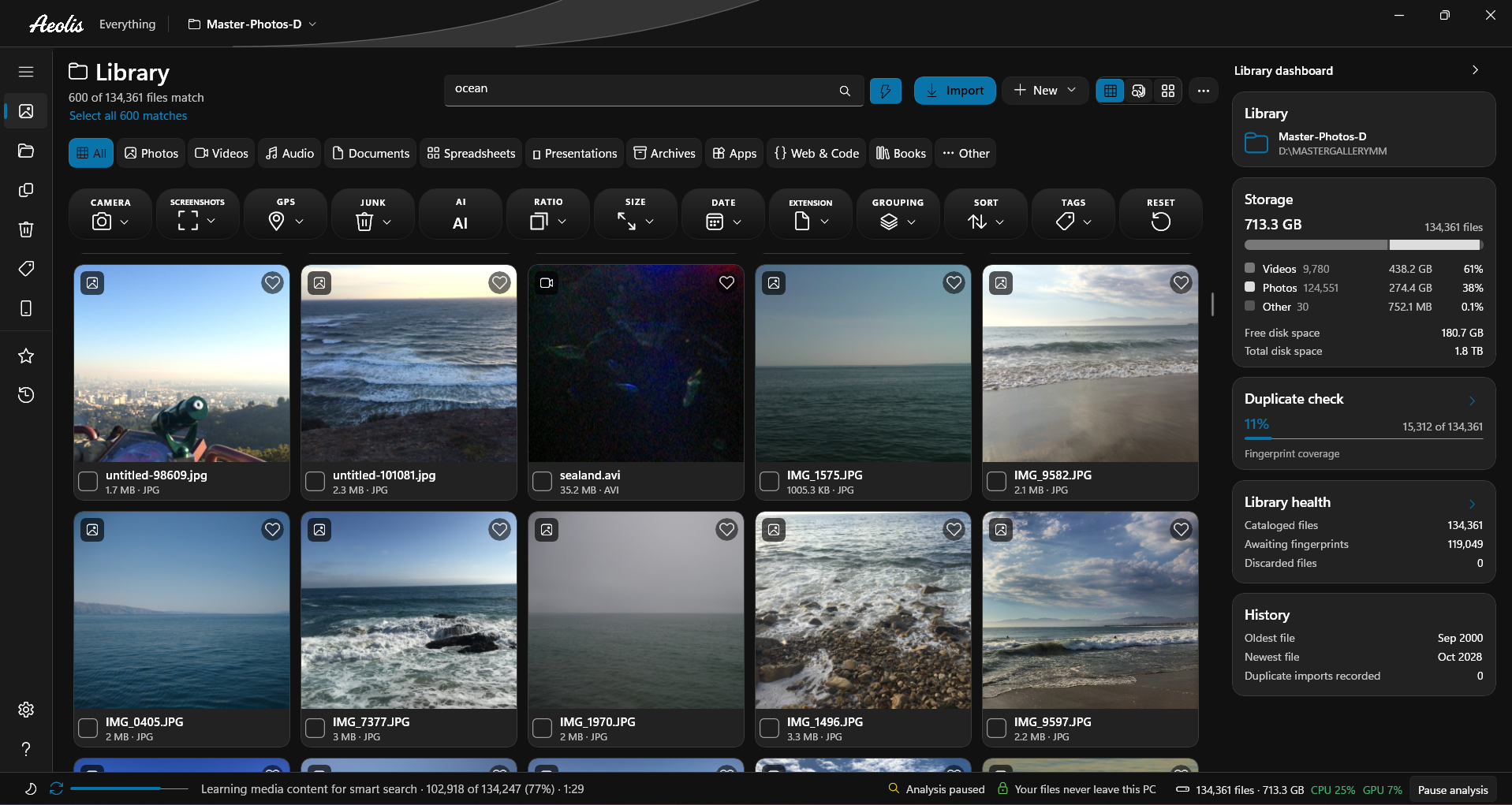
Aeolis Everything in dark mode showing ocean search results and the library dashboard

Aeolis Everything

What you can do

Find files by their content

Browse photos, videos, audio, and documents. Filter by date, camera, size, location metadata, tags, and other file properties. Optional local AI searches image content and recognizes text.

Make everyday edits

Crop, resize, adjust, watermark, and combine images. Work with audio waveforms and video trims, speed, color, resizing, and subtitle tracks. View PDFs and edit supported text files.

Get organized

Use a two-pane File Manager with customizable F1–F10 commands, batch renaming, favorites, tags, and duplicate review.

Bring your library together

Import from folders, drives, and supported connected phones. Device access depends on the capabilities Windows and the connected device expose.

Choose local AI

Optional models support image search, transcription, and document summaries. Download the models and supporting packages separately, then process content locally.

Review before deciding

Choose which duplicates to keep and check experimental summaries against the originals. Optional video search examines the first frame of a clip.

Aeolis Everything
Inside the application

Full feature list

Aeolis Everything 1.2.1. Expand a category to see what’s included.

Library
  • Browse dedicated tabs for photos, videos, audio, documents, spreadsheets, presentations, archives, apps, books, and web and code files.
  • Copy or move files into the library from folders, drives, cards, and phones, or index a folder in place.
  • Switch between independently cataloged libraries from the title bar and drag files between them.
  • See thumbnails for photos, videos, PDFs, and documents, with album art or a file icon for audio.
  • Choose a grid with adjustable tiles and cropped or whole images, a detailed list, or a carousel.
  • Filter for camera, screenshots, GPS, junk, possible AI-generated images, aspect ratio, size, date, extension, and tags. Group and sort results. Filter chips compact to icons in narrow windows.
  • Revisit Favorites and Last import. The dashboard shows storage by type, free disk space, duplicate-check coverage, library health, and history.
  • Folder monitoring picks up outside changes. Navigate back and forward with title bar buttons, Alt+Left or Alt+Right, or mouse side buttons.
Search and tagging
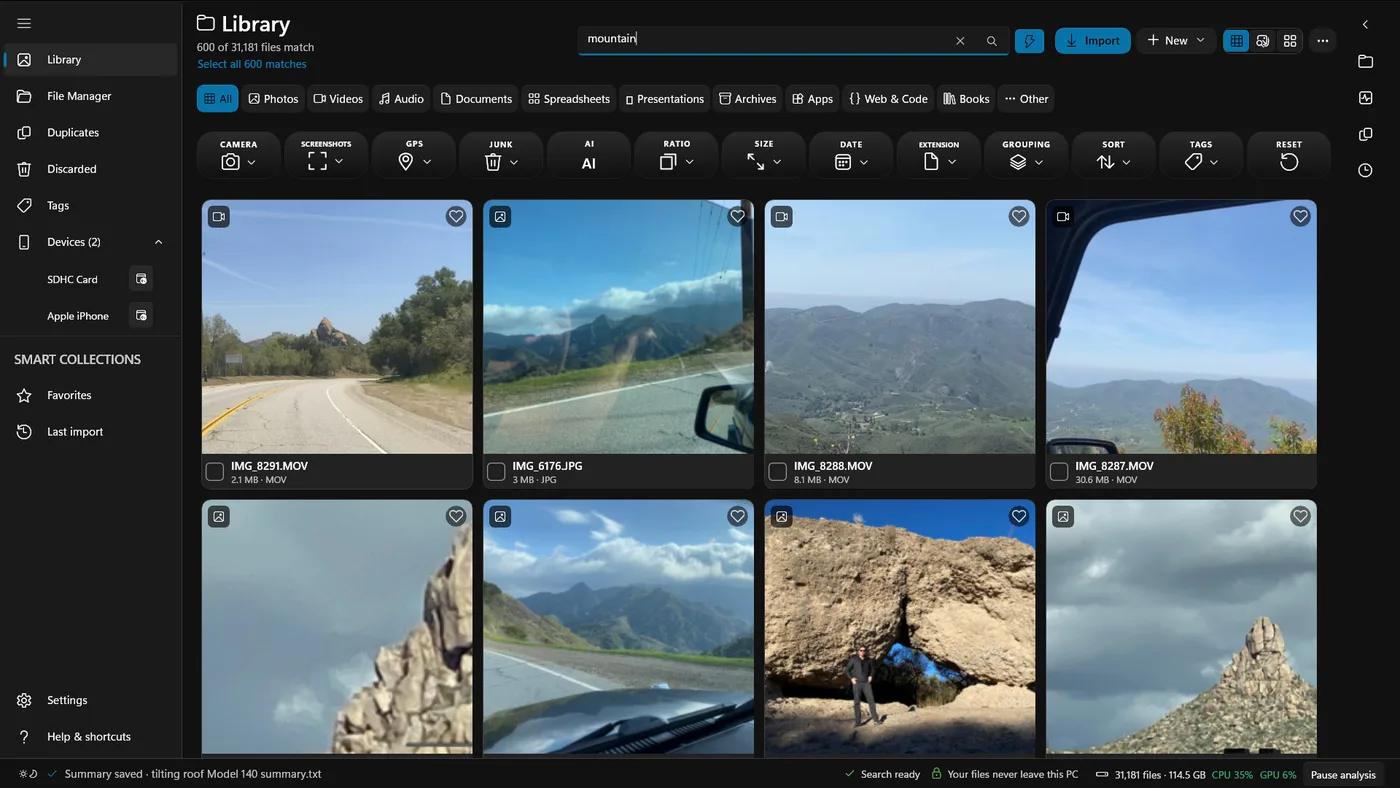
  • Search file names and details across the library. Use plain-language queries such as “photos from last summer” or “large videos.”
  • Optional smart search finds images by description after a one-time local model download. Optional video smart search analyzes each clip’s first frame.
  • Local text recognition makes words in photos, screenshots, and scans searchable.
  • Local AI suggests tags. Tagging resumes between sessions and saves in batches. Add your own tags and combine them as filters.
Photo viewer
  • Browse with a filmstrip and soft transitions. See the live zoom percentage and use toolbar controls to zoom or fit.
  • Zoom around the pointer with the mouse wheel, or drag a rectangle to zoom into an area. Drag to pan and double-click to fit again.
  • Use crop and watermark shortcuts. View file details and view or edit EXIF metadata beside the photo.
  • Open files in the default app, show them in File Explorer, copy the path, or discard them.
Photo editor
  • Work with one tool at a time and preview changes live. Use Cancel, Save, or Save as copy. Save checks the result on a copy before replacing the original.
  • Adjust exposure, contrast, highlights, shadows, saturation, warmth, and vignette. Each slider shows its value. Double-click a slider or tap its value to reset it, or reset all adjustments at once.
  • Auto Enhance uses the photo’s histogram to balance light and color. Press and hold the image to compare with the original.
  • Crop with corner handles, a rule-of-thirds grid, and a dimmed surround. Resize from the corners or drag inside to move the frame. Choose Free, Original, Square, 4:3, 16:9, 4:5, or 9:16.
  • Rotate left or right and apply a text watermark with adjustable opacity.
  • Export JPEG, PNG, BMP, or TIFF, with optional resizing to 4096, 2048, or 1024 pixels.
Batch image tools
  • Resize, convert, rotate, or adjust multiple images at once.
  • Combine images into one sheet and preview the layout, order, spacing, and size.
Video editor
  • Trim clips with timeline frame previews and precise start and end controls.
  • Crop to social formats including 9:16, 1:1, and 4:5. Choose which part of the frame to keep.
  • Adjust speed from 0.5× to 2×, brightness, and contrast. Add a selectable subtitle track to an MP4.
  • Join clips, export MP4 at 1080p, 720p, or smaller, or extract audio as MP3, M4A, or WAV.
Audio editor
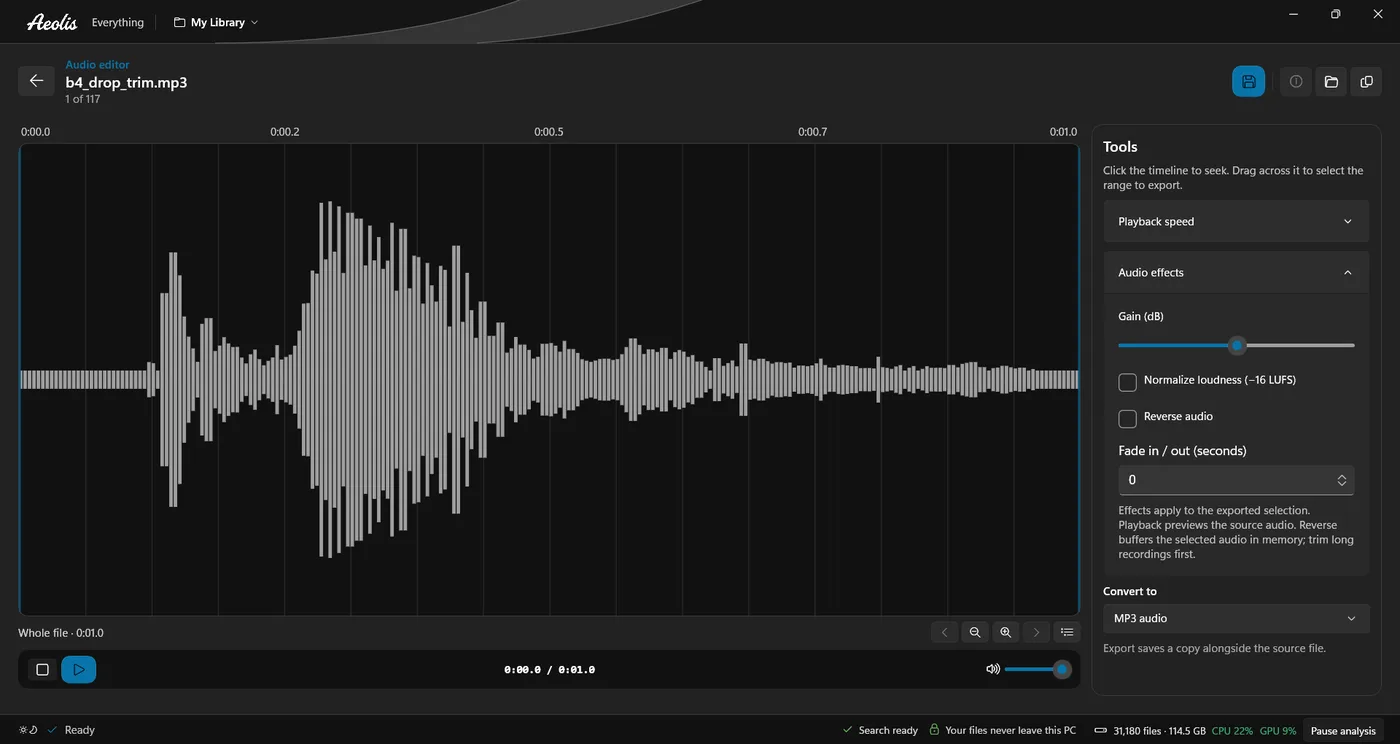
  • Select and zoom into a waveform range, then play or loop that selection.
  • Apply gain, normalize, fade in or out, reverse audio, or change speed from 0.5× to 2×.
  • Join audio files and export MP3, M4A, or WAV.
  • Optional local Whisper transcription turns speech in audio and video into text.
Documents
  • View PDFs with page navigation. Edit text files or save plain-text edits from a Word (DOCX) document as a copy.
  • Optional experimental local summaries work with documents and PDFs and show progress. Check important details against the original.
  • Open other formats in an installed app that supports them.
Duplicates and cleanup
  • Find exact duplicates across file types by comparing file contents. Aeolis keeps the oldest copy for review before moving the others. Filter, search, and sort by space to reclaim.
  • Find near-identical photos, including bursts and edited copies. Filter temporary, system, and leftover files.
  • Use Discarded to review files before sending them to the Windows Recycle Bin. Aeolis leaves permanent deletion to Windows.
  • Undo moves, renames, and discards.
File Manager
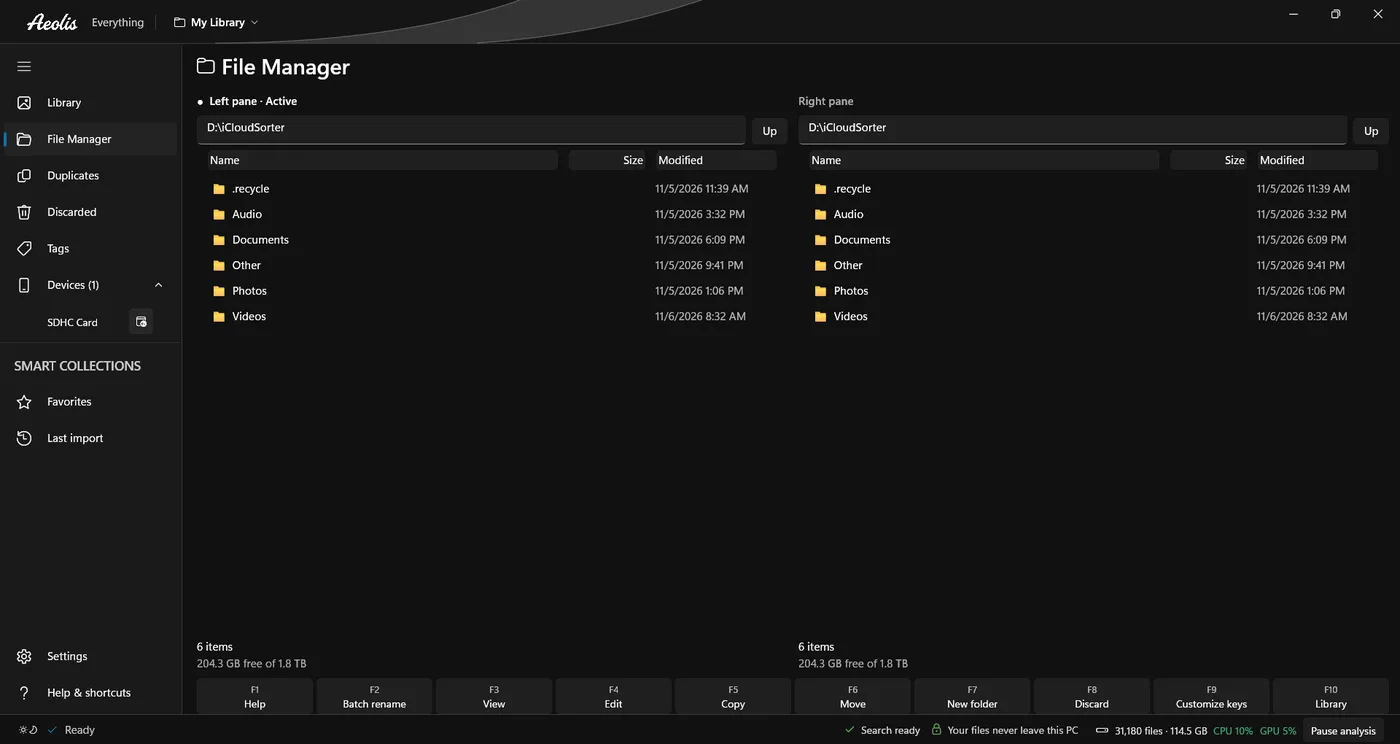
  • Drag files between two panes. Batch rename, copy, move, create folders, and review operation history. See free space by drive.
  • Reassign the F1–F10 keys. The defaults are Help, Batch rename, View, Edit, Copy, Move, New folder, Discard, Customize keys, and Library.
Phones, cards, and devices
  • Import from iPhone, Android phones, cameras, and memory cards that Windows can access.
  • Browse as thumbnails or a list. Select files or whole folders, double-click a folder to open it, and use Select all, None, Up or Backspace, and Refresh.
  • Check capacity before import, resume progress, and safely eject removable drives from the sidebar.
Library health and safety
  • Quick check compares the catalog with files on disk to spot missing, moved, or unknown files. Deep verify re-reads every file to check for changes.
  • Aeolis backs up the catalog when the app opens and closes.
  • Lock a library with a PIN and remove it from the lock screen or Settings. The PIN controls access inside Aeolis. Files on disk remain unencrypted by the PIN.
Notifications and status
  • Temporary notifications appear at the lower left with Undo, Open, or Show in Aeolis where available. The status bar bell keeps the history and shows the unread count.
  • The status bar shows current activity, progress, search readiness, a local-processing privacy indicator, file counts and sizes, and live CPU and GPU use. Pause background analysis from the bar.
Appearance and shortcuts
  • Switch between light, dark, and Windows system themes from the status bar. The charcoal palette, Inter typeface, and rounded cards carry across the Aeolis suite.
  • Use F11 for full screen and find shortcuts on the help page. A startup screen shows progress.

Availability

Get started

Try every feature free for 30 days. After the trial, a one-time purchase unlocks version 1.x, with no subscription. Buy in the app through Microsoft Store or activate with an Aeolis license key. Future major versions are optional paid upgrades with discounted pricing for existing customers.

Try it for free

System requirements

  • Windows 10 version 1809 or later, or Windows 11, on x64.
  • Performance depends on your hardware, model, and file size. Document summaries currently use the CPU.
  • Some formats and tools need an optional download or the associated app.

Privacy & AI

Understand how it works

Media analysis, smart search, text recognition, AI tagging, transcription, and summaries run on your PC. AI models, the FFmpeg media engine, and Whisper transcription are separate downloads for the features that use them. Internet access may be needed for downloads, licensing, updates, and support.

Aeolis Everything support

Help when you need it.

Find help for installation, license activation, libraries, local AI, editing, and imports.

Visit product support