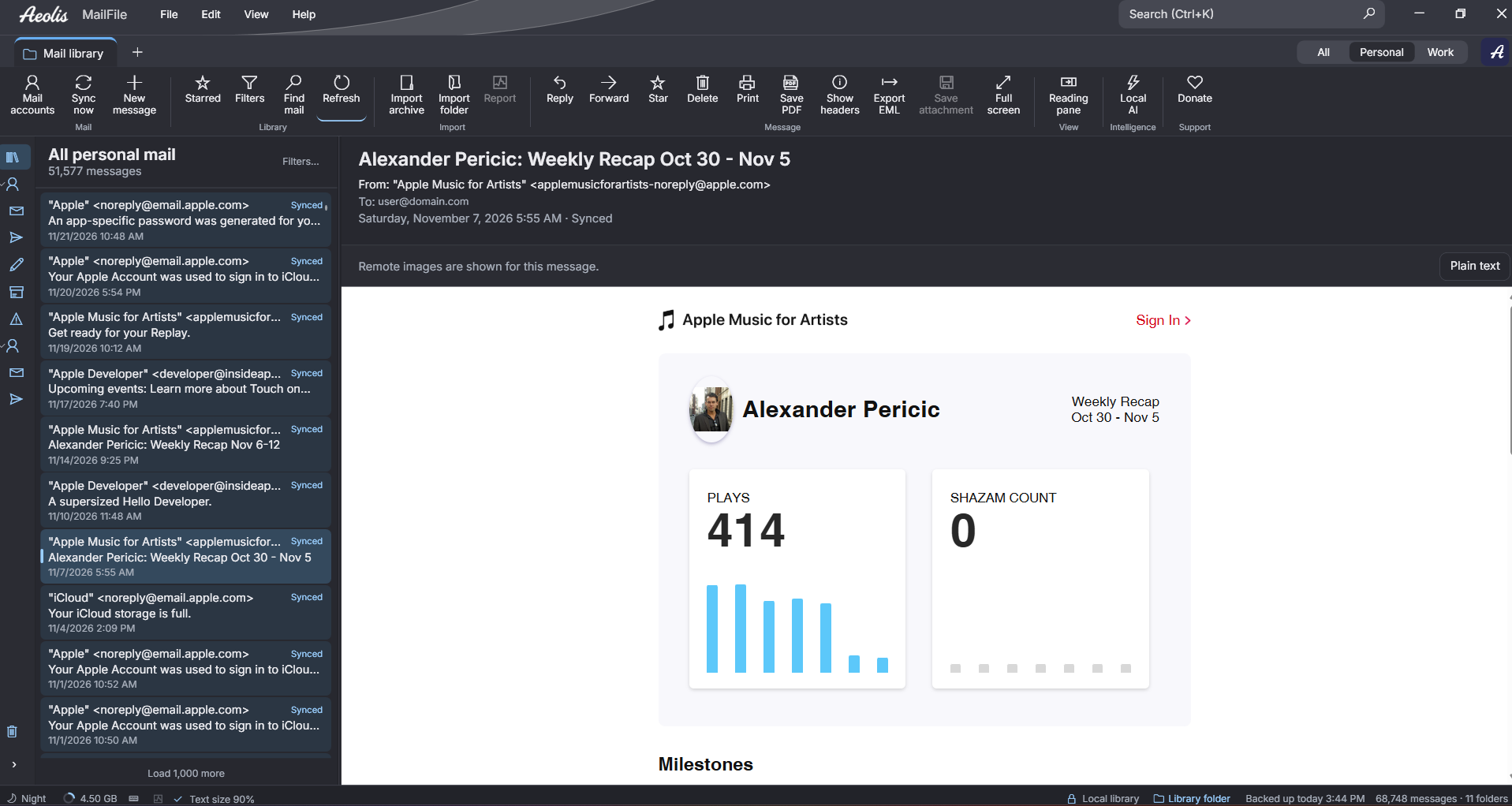
Import MBOX, MBX, PST, EML, and Thunderbird folders. Connect your accounts and choose All, Work, or Personal.
Read and search offline
Find messages in your local library, preview attachments, and reply or forward through a connected account.
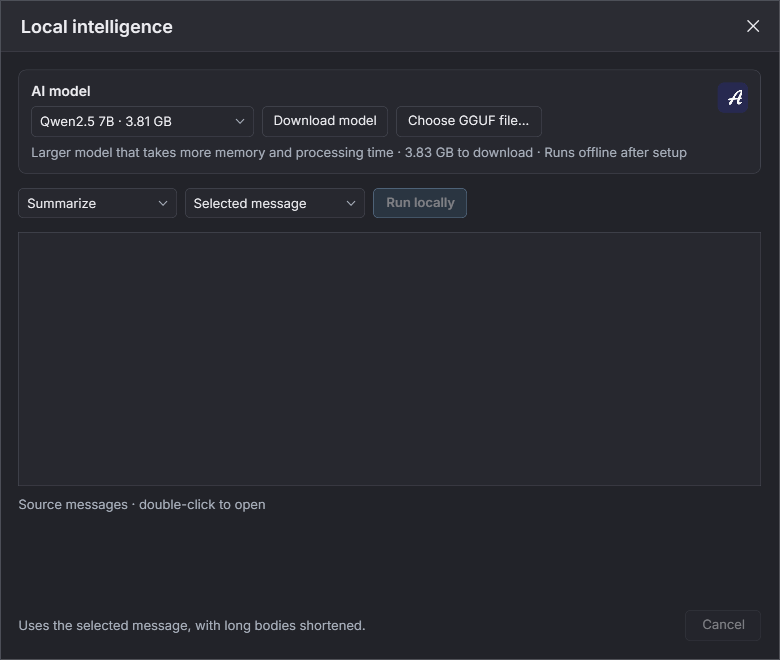
Use optional local AI
Summarize messages, extract actions, or build a timeline. Analysis runs on your PC.
Aeolis MailFile
Inside MailFile
Read formatted messages alongside your mail list.Choose an optional model to analyze messages on your PC.
Full feature list
Expand a category to see what’s included.
Archives and imports
Import MBOX, MBX, PST, EML, and Thunderbird folders by file, folder, or drag and drop. PST import works without Outlook.
Combine archives and downloaded mail in one library. MailFile matches duplicate messages by content and preserves their folder memberships.
See whether a message came from an import, a sync, or both. The import report lists results, duplicates, and files that need attention.
Connected accounts and sync
Connect Gmail, iCloud, Yahoo, and other compatible IMAP and SMTP providers. Use Proton Mail Bridge for Proton Mail. Personal Outlook.com, Hotmail, Live, and MSN accounts use Microsoft sign-in.
Use provider setup guides and test incoming and outgoing connections separately. Choose how much Inbox and Sent history to download or set an account offline to skip sync.
Incoming sync retrieves local copies. The originals and their folders stay on the server.
Search and organization
Search subjects, addresses, and full message text across archives and connected accounts, including offline for mail already in the library.
Switch among All, Work, and Personal views, or narrow results to an account or mailbox. Filter by date, attachments, or source and star messages for quick access.
Move unwanted local copies to MailFile’s Recycle Bin and restore them when needed.
Reading, attachments, and export
Read formatted HTML and rich-text messages, see conversations across folders and accounts, and open calendar invitations in your default calendar app.
Preview supported attachments such as PDFs, images, and text. Save one attachment or all attachments.
Show full message headers, export EML, print, or save a message or conversation as PDF. Choose the reading pane position, use full screen, or navigate back and forward.
Writing and the Outbox
Compose, reply, and forward through a connected account’s outgoing server. Add formatting, links, images, attachments, and account signatures.
Save drafts in the local Outbox. Use Sync Sent to check the provider’s Sent folder when delivery confirmation is pending.
Mailbox Insights and local AI
Use optional Insights to see frequent correspondents, topics, expected messages, pending replies, and commitments drawn from your library.
An optional model can write a briefing, summarize mail, extract actions, build a timeline, or answer questions. Download a model or use a compatible GGUF file you already have.
Analysis runs on your PC. Review the original messages to verify important details.
Backups and privacy
Restore an automatic backup or export and import a library backup to move to another PC. Exported backups exclude saved passwords.
Windows protects saved mail passwords. Remote email images and other external content stay blocked until you allow them.
Mail and attachments are stored on your PC in a database that is unencrypted at the application level. Backups can contain readable copies.
Display and shortcuts
Choose Day, Night, or Auto, adjust text size, and use keyboard shortcuts and notifications.
Import an archive or connect a compatible mail account.
Local AI requires a compatible model file.
Privacy & AI
Understand how it works
Incoming sync leaves the originals on your mail server. MailFile stores copies on your PC and runs optional AI analysis locally. The application leaves its local database unencrypted.
 NEITSCH
 Aeolis MailFile