 NEITSCH
Bring your papers in
Drag in individual papers or a folder. Organize documents into litigation sections, search their contents, and use Windows OCR for scans. Keep originals with verifiable fingerprints.
U.S. litigation · Windows · Local AI
 Aeolis CaseFile
Start with an unsorted folder of litigation files. CaseFile sorts and indexes the papers on your PC, giving you a case you can work in, explore with optional local AI, or export for a client.
Case files stay on your PC or your firm’s own server. AI runs on your PC, so confidential documents stay out of cloud AI services.
Bring in pleadings, exhibits, orders, emails, and scans together.
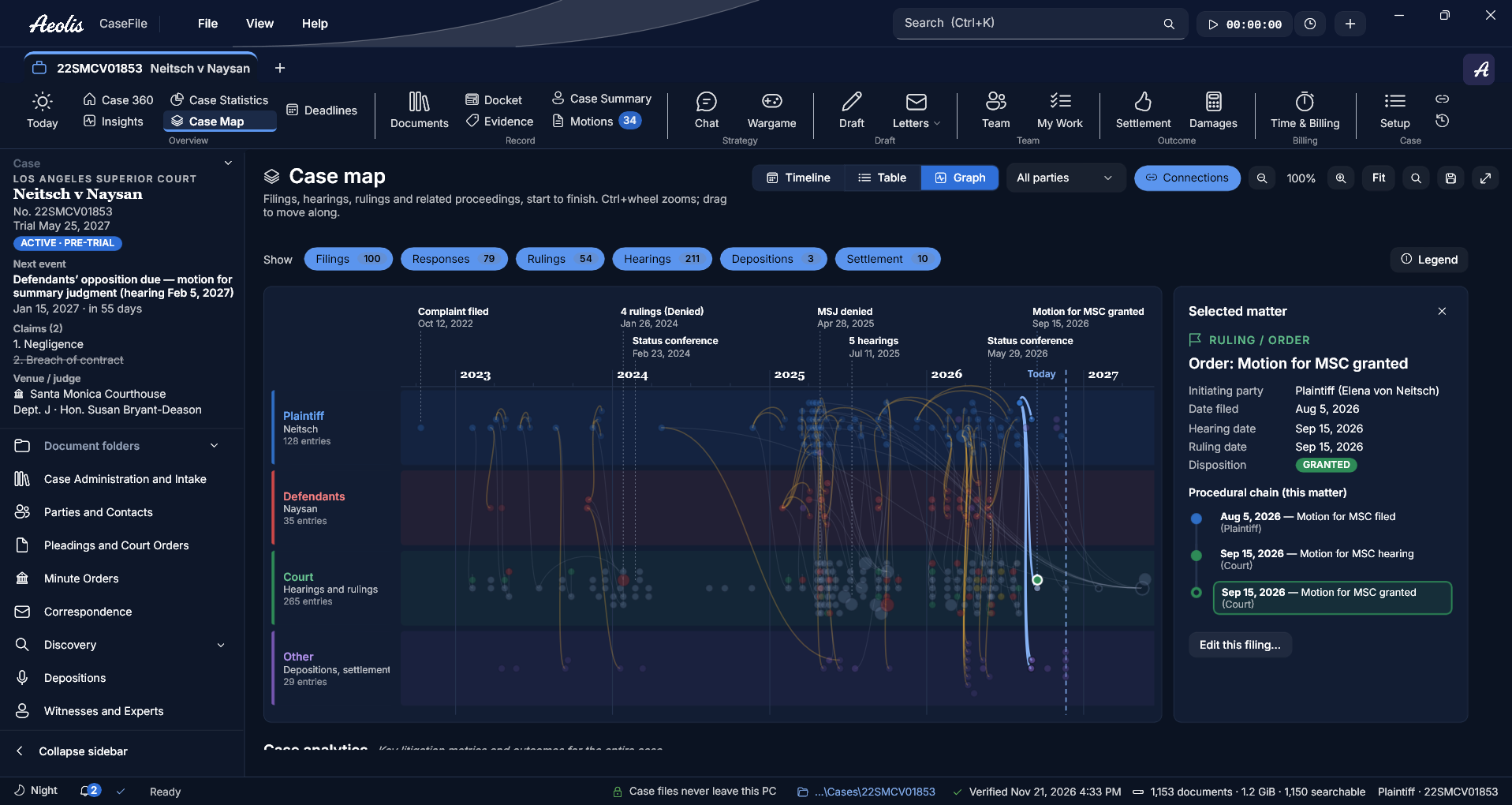
CaseFile sorts documents into litigation sections, indexes their text, and keeps the originals. Open the Case Map to see related filings, hearings, and rulings.
Once the papers are indexed, optional local AI can summarize them and answer questions with page citations. Export the case as a ZIP with an index, reports, and file fingerprints.
Aeolis CaseFile
Drag in individual papers or a folder. Organize documents into litigation sections, search their contents, and use Windows OCR for scans. Keep originals with verifiable fingerprints.
Read trial-court registers of actions, federal CM/ECF dockets, and appellate dockets. Populate court, judge, parties, counsel, hearings, and outcomes, with corrections supported.
Work from court rules for California, federal courts, other states, and D.C. See each deadline’s source and confirm it. Export dates through an .ics file for Outlook, Google Calendar, or Apple Calendar.
Use Today, Case 360, the case map, Insights, and statistics. Keep motion papers together and work with evidence, witnesses, damages, and settlement records. Draft pleadings and letters for review.
Ask questions with page citations, summarize documents, and draft from the case. Explore possible next moves through the wargame’s likelihood, timing, and rule references.
Track time, expenses, trust entries, and invoices. Firm + Teams adds roles, reviewed assignments, document check-out/check-in, version history, and office-network case sharing.
For use in the United States only. Aeolis CaseFile is not an attorney and does not give legal advice. No output is guaranteed. Check every deadline and every output, and consult an attorney.
Aeolis CaseFile
The Microsoft Store listing includes images of the case map, docket, and drafting workspace.
Aeolis CaseFile 1.0. Expand a category to see what’s included.
For solo attorneys, litigation teams, paralegals, and people representing themselves in U.S. courts.
Availability
Every new installation starts with a 30-day trial of Firm + Teams. Buy and renew plans in the app through Microsoft Store. Prices shown are in U.S. dollars.
For direct firm licensing and a single invoice for multiple seats, use the contact form.
Privacy & AI
Case files stay on your PC or your firm’s own server. Optional AI runs locally. CaseFile has no application telemetry or cloud storage.
Aeolis CaseFile support
Find guides for setup, documents, court dockets, deadlines, AI, and team workflows.
The voice guide is loading. Please try again in a moment.