 NEITSCH
Blog / Practice operations
How physicians can use Aeolis MedFile to review outside records
A workflow for reviewing outside records, with a comparison of local AI, cloud scribes, and EHRs, plus per-doctor cost estimates.
Start with a packet you already spend time assembling
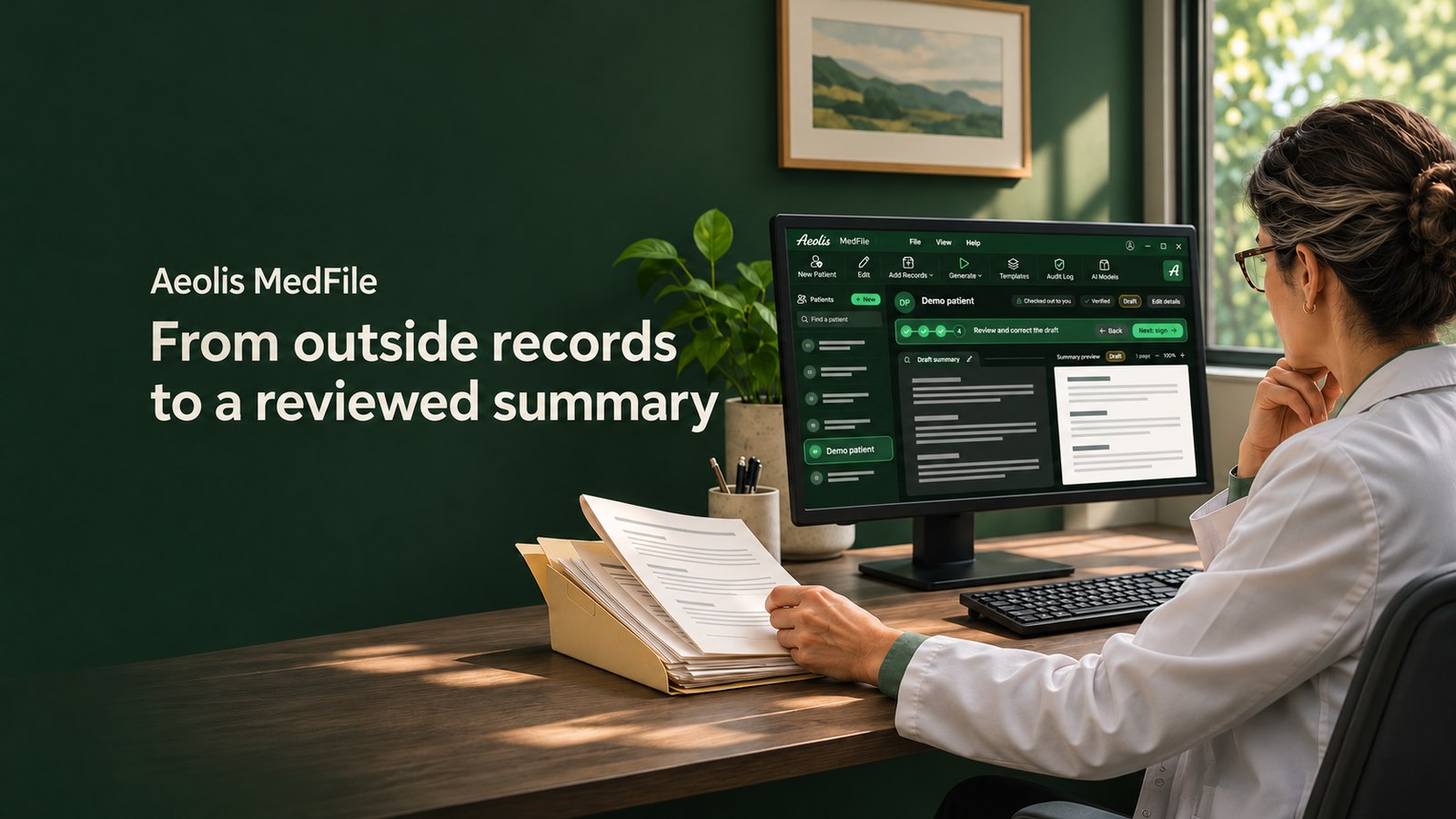
A new patient arrives with outside notes, imaging reports, and a scanned discharge summary. Before the visit, someone has to put the records in order and identify where the important details came from. Aeolis MedFile can turn the selected records into a structured first draft on a practice Windows PC. The physician checks the draft against the originals before signing it.
Good candidates for a pilot include new-patient referral packets, complex charts assembled for a second opinion, and records that span multiple providers or admissions. An ambulatory time-and-motion study documented how much of the office day physicians spend on EHR and desk work. It provides context for measuring the burden in your own practice. AMA study overview
Where MedFile fits in the workflow
- Collect the records. Import the packet from a practice-approved folder. Use OCR for scanned pages and review the list for missing or unreadable records.
- Generate a draft. Choose a template for the task, such as a care timeline or a structured overview. Queue larger packets overnight if that suits the practice.
- Verify and sign. Compare the draft with source records. Check omissions, conflicts, and statements marked UNVERIFIED SOURCE. The physician corrects and signs the finished summary.
- File the result. Export the signed summary to PDF or Word and file it in the practice’s usual record system.
AI generation runs on the Windows PC, and the patient library uses an encrypted database. Practice procedures still govern access, backups, exports, and retention. HIPAA and regulatory compliance are the sole responsibility of the user. The licensed physician remains responsible for the signed summary. MedFile privacy and review workflow · HHS summary of the HIPAA Security Rule
When to choose MedFile, a cloud scribe, or an EHR
Choose Aeolis MedFile when the priority is turning existing records into a physician-reviewed summary without sending the records to a cloud AI service. An ambient scribe captures a live visit and drafts the encounter note. A full electronic health record (EHR) manages the practice’s primary chart and related operations.
| Tool | Best fit | Processing and setup |
|---|---|---|
| Aeolis MedFile | Summarize outside records, review, sign, and export. | AI runs on your Windows PC. Set up a model and move files between MedFile and your chart. |
| Cloud scribes Eleos Health and Twofold | Capture encounters and draft visit notes. Eleos focuses on behavioral health. | AI runs on vendor infrastructure. Device support and the way notes reach the chart vary by tool. |
| Full EHRs AeliusMD and Medfile (Poland) | Maintain the primary chart, with scheduling, billing, and prescribing features depending on the system. | Confirm hosting, integrations, and regional support with the vendor. |
Privacy. MedFile drafts locally after model setup. Check where your practice saves backups and signed exports, especially on a PC with synchronized folders. If a cloud vendor handles electronic protected health information on your behalf under HIPAA, confirm the applicable business associate agreement and review retention and access terms. MedFile privacy · HHS cloud computing guidance · Eleos security · Twofold security
Hardware and handoff. MedFile can run on the CPU or use a compatible GPU. Model size, available memory, and packet size affect turnaround. Test on the workstation you plan to use, particularly if it is an older laptop. Cloud scribes shift processing off that computer, and their device and chart workflows differ. Eleos describes a browser extension for working in an existing EHR, and Twofold documents mobile capture and EHR-ready text. MedFile hardware and features · Eleos workflow FAQ · Twofold workflow FAQ
Practice fit. For a clinician or medical-legal team that already receives files and wants local drafting, pilot MedFile alongside the existing chart. For live visit capture, cross-device access, or direct chart integration, evaluate cloud tools against your actual EHR and device requirements. If a deployment depends on published validation, support hours, or an enterprise service commitment, ask each vendor for that evidence or those terms before choosing.
What record summaries cost per doctor
For this office budget, assume eight outside-record summaries per doctor per month, or 96 per year, with one summary per 500-page packet. Use this workload as a planning example and substitute your own volume and packet size.
| Product or service | Avg. per summary | Per month | Per year |
|---|---|---|---|
| Aeolis MedFile Unlimited, annual billing | $2.92 | $23.33 | $279.99 |
| Aeolis MedFile Unlimited, monthly billing | $3.75 | $29.99 | $359.88 |
| Medilenz Narrative summary | $100 | $800 | $9,600 |
| MedSum Legal Standalone narrative | $150 | $1,200 | $14,400 |
| NaviCase Clinician-reviewed summary | $150 | $1,200 | $14,400 |
The $23.33 monthly figure spreads MedFile’s annual payment over 12 months. For occasional use, the first MedFile summary is free and a single credit is $9.99. Medilenz and MedSum Legal publish 500-page narrative estimates based on $25 an hour. NaviCase lists $0.25 a page, with a $150 case minimum. Confirm the service scope and any volume pricing with the vendor.
Budget for in-house time separately on every option. With MedFile, for example, 30 minutes of physician time per packet at $120 an hour adds $60 per summary. That brings the annual-plan scenario to $62.92 per summary, $503.33 per month, or $6,039.99 per year, before staff time or other overhead. For an office budget, multiply by the number of doctors using the same workflow and workload, assuming one subscription per doctor for the MedFile scenarios.
Who reviews the records when you outsource?
Medilenz lists delivery centers in India and California. Its Bangalore posting for medical record review and quality checks lists medical and life-science graduates among the candidates. NaviCase says it assigns North America-based nurse practitioners, physician assistants, or physicians for its summary work. Ask who will prepare and check your packet, what credentials they hold, and where the work will happen. Medilenz delivery locations · Bangalore role · NaviCase reviewer roles
A factual summary organizes what the records say. Expert medical opinions are priced separately. Medilenz lists $50 an hour for an MD opinion, and NaviCase quotes orthopedic surgeon review by the case. For clinical judgment or a signature, confirm the assigned reviewer’s identity and verify any required active license with the relevant licensing board. Medilenz expert pricing · NaviCase expert pricing
For identifiable records, ask where the vendor and its subcontractors access and store the files. Confirm a business associate agreement when HIPAA requires it. HHS advises accounting for location-specific privacy, security, and enforceability risks when electronic protected health information is handled offshore. HHS business associate guidance · HHS guidance on overseas handling
Three ways to estimate the cost
These hypothetical examples use a $120 per hour value for active physician time. The assisted times include preparation, physician verification, corrections, and sign-off. Multiply the active hours saved by your hourly cost and subtract the software price. When staff prepare the packet, value their time separately. MedFile plan prices
| Packet volume | Active minutes per packet | Time value after software |
|---|---|---|
| One paid summary after the free first summary | 35 manual 27 with MedFile | $16 less $9.99 $6.01 |
| Eight referral packets per month | 40 manual 30 with MedFile | $160 less $29.99 $130.01/month |
| 24 multi-provider packets per month | 50 manual 35 with MedFile | $720 less $29.99 $690.01/month |
A $9.99 credit takes about five minutes of recovered physician time to break even at this rate. If the practice saves only three minutes, the time gained is worth $6.
Time recovered is capacity. It becomes a cash saving if the practice actually reduces a cost such as overtime or outsourced drafting. Add any new hardware, setup, training, and support costs to your comparison. Track overnight processing separately from active work time, particularly if a patient is waiting for the summary.
A small pilot can show whether it pays
Try five comparable packets on a practice-approved PC, starting with one representative case on the free first summary. Record the usual manual time and the active time with MedFile. Track staff and physician time separately and include import, review, correction, signing, and filing. Record any missing records or errors that needed rework.
Compare the median active minutes saved and check whether the finished summaries meet the practice’s review standards. If review consistently takes as long as writing from scratch, keep the manual workflow for that packet type.
Walk through a referral-packet pilot · Try your first MedFile summary free