 NEITSCH
Review outside medical records locally
Walk through a referral-packet pilot on Windows, from collecting outside records to filing a physician-reviewed summary.
MedFile workflow preview
Four steps to test
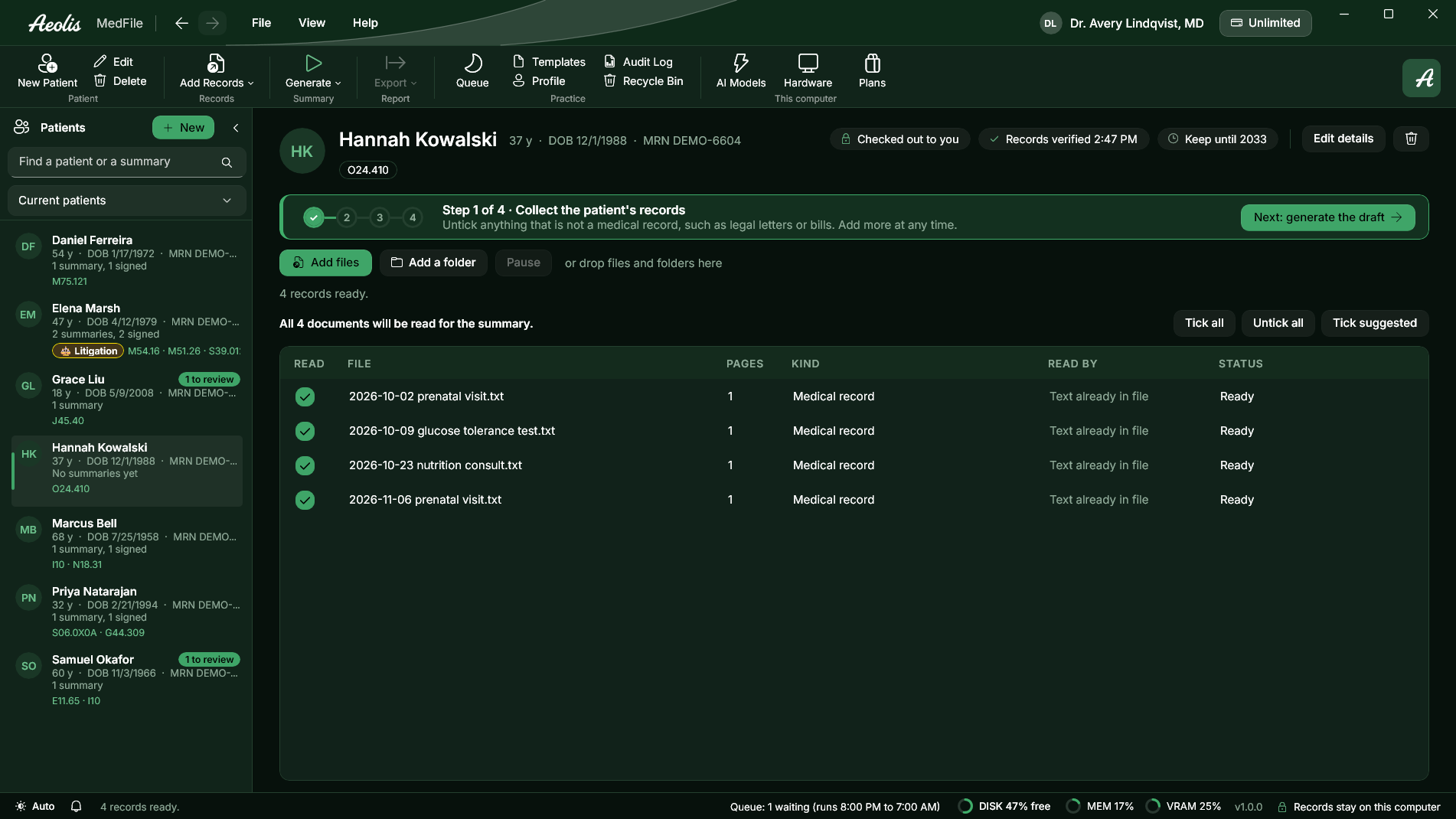
- Collect the records. Start with demo files such as a referral note and a scanned outside report. Confirm that each intended source appears in the packet.
- Generate the draft on Windows. Choose a report template and a local model appropriate for the workstation.
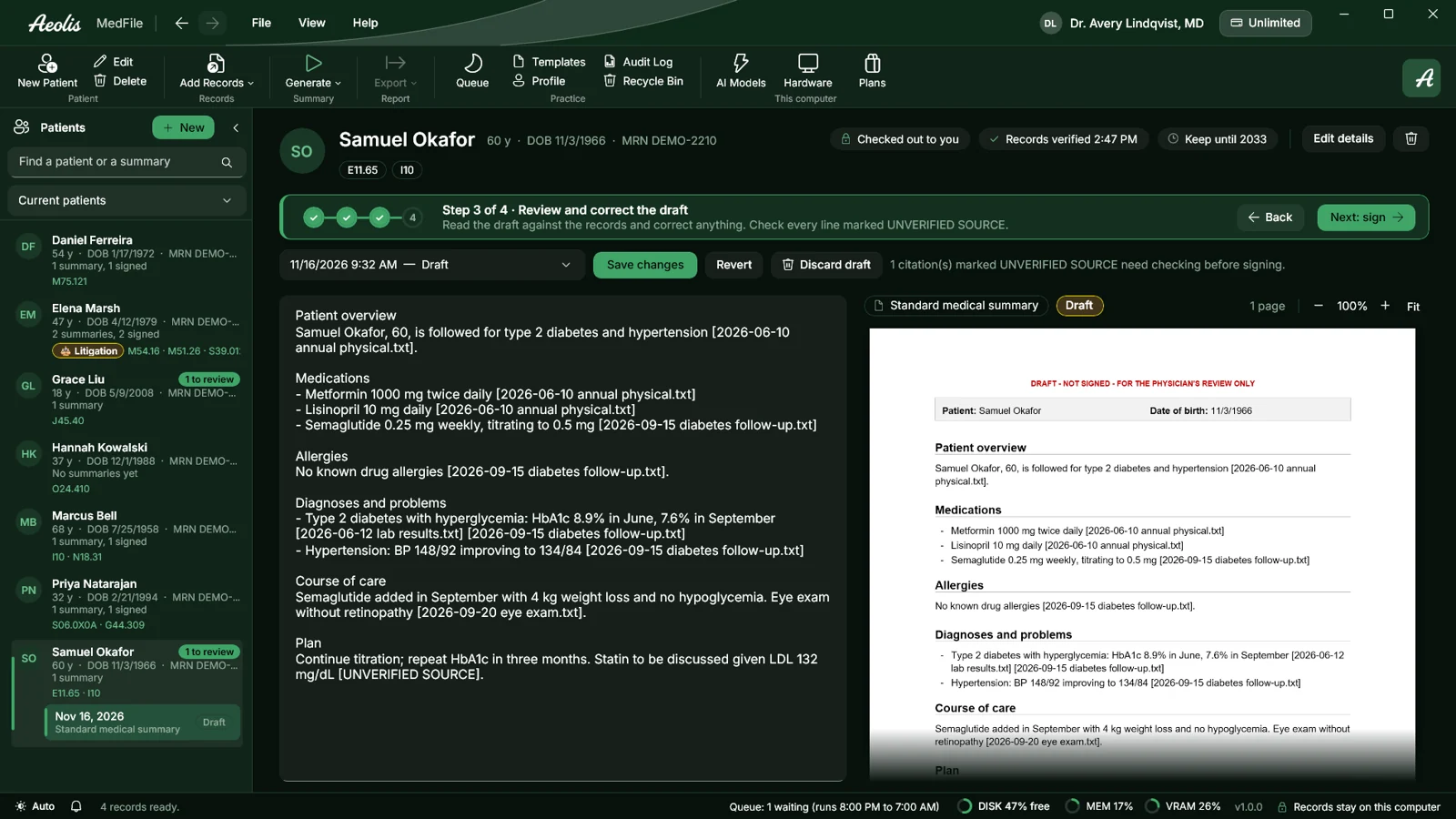
- Verify the draft against the originals. Compare dates, factual claims, and any passages flagged as unverified. The physician corrects and signs the finished summary.
- Export and file the result. Move the signed PDF or Word report into the practice’s approved record system. Time staff preparation and physician review separately.
Pilot the workflow on comparable packets and track omissions, corrections, and active review time before using it more widely.
Aeolis MedFile
Review a draft with demo data
Compare the time and cost
Include staff preparation and physician review when comparing local drafting with an outside service.
See the MedFile cost examples